Typing Speed
Shortcuts: Ctrl+P pause · Ctrl+M sound · Enter play again
Top players this week
Loading…
Resets every Monday (UTC).
About Typing Speed
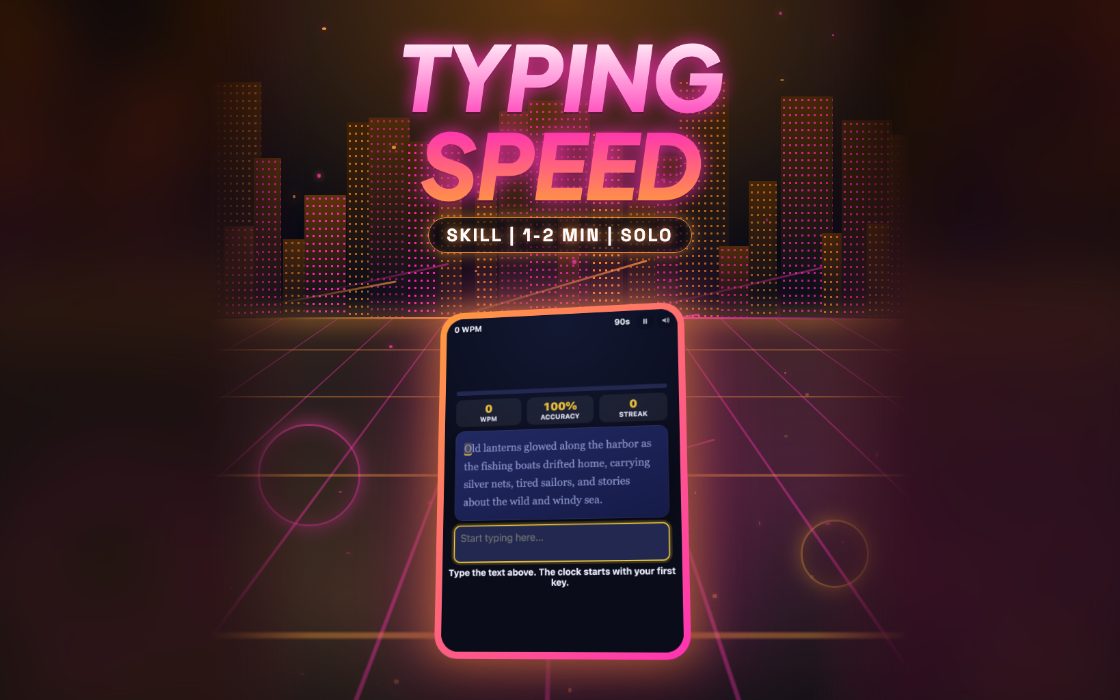
Typing Speed is a short test that measures how fast and how cleanly you type. A paragraph of ordinary English appears in a box, and you copy it into the text field below. Letters turn green when they are right and red when they are wrong, a bar fills as you progress, and live numbers track your words per minute, accuracy and current streak of correct keys.
It suits students, office workers and anyone wanting a quick check of their keyboard skills. A run takes up to a minute and a half. A good result is one where your speed and accuracy are both high, since the final score multiplies the two. Steady rhythm usually beats frantic bursts.
How to play Typing Speed
- Read the first words of the paragraph. The timer does not start until you press your first key.
- Type exactly what you see, including capital letters, commas and full stops.
- Use Backspace if you notice a wrong character. Fixing it improves your accuracy.
- Watch the progress bar and the streak counter, but keep your eyes on the text.
- The test ends when you finish the whole paragraph or when 90 seconds have passed.
Controls
| Keyboard and mouse | Just start typing on your keyboard. The text field is focused automatically, and clicking the paragraph brings the cursor back. Backspace corrects mistakes. |
|---|---|
| Phone and tablet | Tap the text field to open your on-screen keyboard, then type the passage. Pasting text is blocked, so you need to enter every character yourself. |
Scoring
Speed counts only correctly typed characters, with every five characters counted as one word, divided by the minutes elapsed. Your final score is that words-per-minute figure multiplied by your accuracy. A clean 50 words per minute is a solid result, and 80 or more is very quick.
Tips and strategy
- Aim for accuracy first. A wrong letter lowers your accuracy and your score, and it also stops counting as a correct character.
- Read a few words ahead instead of looking at the letter you are typing. This keeps your rhythm smooth and reduces pauses.
- If you spot a mistake several characters back, think about whether going back is worth it. Fixing a wrong key improves accuracy but costs time.
- Capital letters and punctuation are part of the text. Slow down slightly at commas and capitals, as skipping them counts as errors.
- Your streak counter shows how many correct keys you have hit in a row. Try to beat your last streak, not only your speed.
Typing Speed FAQ
▸When does the timer start?
It starts with your first keypress, not when the page loads. You have 90 seconds from that moment to finish the paragraph.
▸Is the paragraph always the same?
No. One of several different passages is picked at random each time you play, so you cannot memorize one.
▸Why is my score lower than my speed?
Your score is words per minute multiplied by accuracy. If you made mistakes, the score drops below your raw speed.
▸Can I paste text?
No. Pasting and dropping text into the field is disabled, so the result reflects what you actually typed.