Hue Gate
Shortcuts: Ctrl+P pause · Ctrl+M sound · Enter play again
Top players this week
Loading…
Resets every Monday (UTC).
About Hue Gate
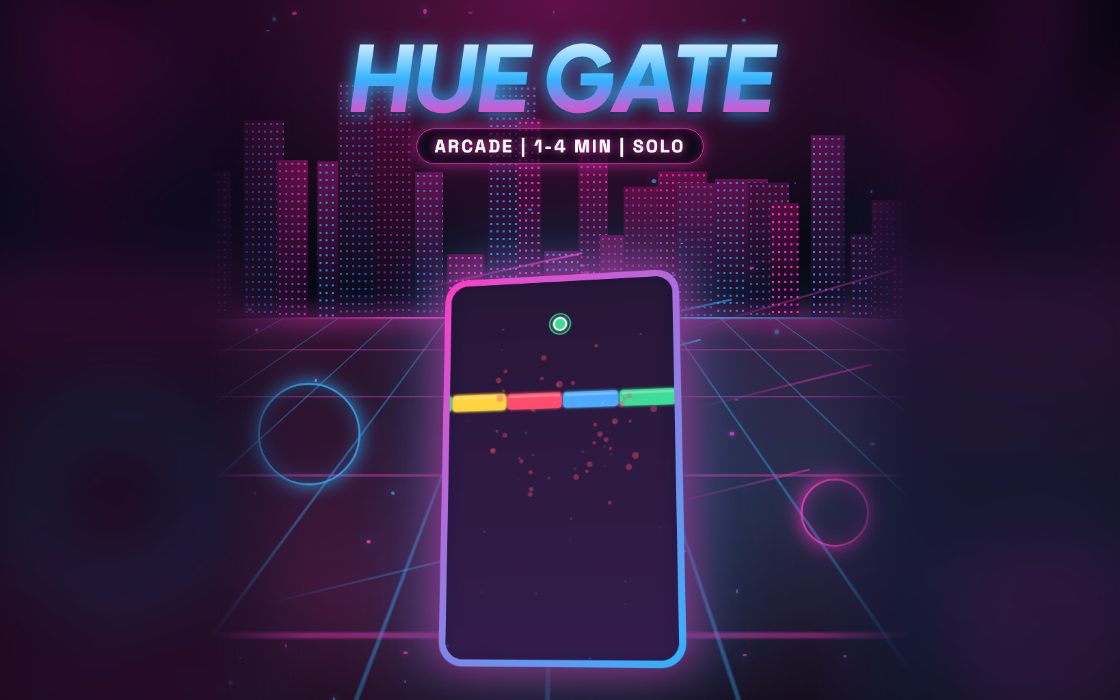
Hue Gate is a one-button bounce game about matching colours. Your glowing ball falls under gravity, and each tap pushes it upward. Above you are rotating gates made of four coloured bands. You can only pass through a band that is the same colour as the ball, and the bands keep spinning past, so timing is everything.
It suits players who like quick, tense runs in the one to four minute range. There is nothing to learn beyond a single tap, but good control takes practice. A good run means clearing many gates in a row and changing colour at the right time, ideally with a calm rhythm instead of panicked tapping.
How to play Hue Gate
- Tap to start. The ball stays still until your first tap, then gravity pulls it down.
- Tap to hop upward toward the next gate, keeping the ball steady between hops.
- Slip the ball through a band of the same colour as the ball while the gate rotates past.
- Collect the coloured orb between gates, which changes your ball to a new colour for the next gate.
- The run ends if the ball touches a band of the wrong colour or falls off the bottom of the screen.
Controls
| Keyboard and mouse | Press the space bar, the up arrow, W or Enter to bounce, or click the game area. There is also an on-screen Jump button. |
|---|---|
| Phone and tablet | Tap anywhere on the game area to bounce the ball upward, or use the Jump button. Each tap gives one hop. |
Scoring
You get one point for every gate you pass, and that gate count is your score. There are no extra bonuses. Every fifth gate triggers a small celebration and the rotating bands also speed up in steps as you go, so a high gate count means you handled increasing speed.
Tips and strategy
- Use short, regular taps to keep the ball near the same height. Big, wild jumps carry you into the gate sooner than you intended.
- Look at the next orb as soon as you clear a gate. The orb colour decides which band you need next, and it might be the same colour.
- Wait for a matching band to line up with the ball before you reach the gate. It is better to hover for a moment than to rush.
- The ball is wider than a single point, so keep the matching band centred over it instead of passing right at the edge of a band.
- Gravity is constant, so you cannot stop the fall. Tap a little earlier than feels necessary, so that you do not drop below the screen.
Hue Gate FAQ
▸Why is my ball not moving at the start?
The game waits for your first tap before gravity starts. It gives you time to look at the first gate and plan your approach.
▸Does the ball always change colour at an orb?
Touching an orb gives the ball a random colour, which might be the same colour you already had. Check the new colour before choosing which band to aim for.
▸Does it get faster?
Yes. The gates spin faster after every four gates you clear, for the first few steps, and later gates are also a bit quicker than earlier ones.
More Arcade games
See all