Sudoku Studio

Shortcuts: Ctrl+P pause · Ctrl+M sound · Enter play again
Top players this week
Loading…
Resets every Monday (UTC).
About Sudoku Studio
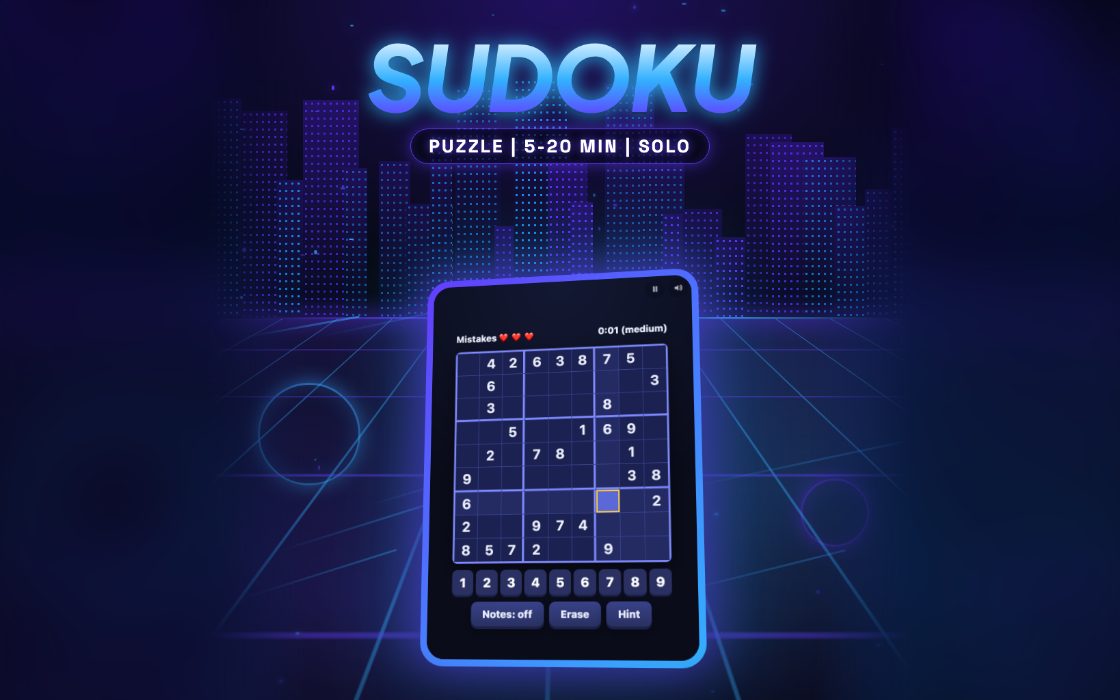
Sudoku Studio is a number-placement puzzle on the familiar nine by nine grid. Every row, column and three by three box must end up holding the digits 1 to 9 exactly once. Each difficulty has a daily puzzle that is the same for everyone that day, and the tools include pencil notes, an erase button and a limited hint feature.
It suits anyone who enjoys quiet logic, from newcomers on Easy to regular solvers on Hard. A puzzle takes around two minutes at the quickest pace, and more for tougher levels. A good result is a clean solve with no mistakes and no hints, which keeps the score near its maximum, since the clock and both penalties reduce it.
How to play Sudoku Studio
- Pick Easy, Medium or Hard. Higher levels start with fewer given numbers.
- Select an empty cell and look at its row, column and box to see which digits are still missing.
- Enter the digit. A wrong digit turns red and costs one of your five allowed mistakes.
- Turn on Notes to jot small candidate digits in a cell without committing to one.
- Fill the whole grid correctly to solve the puzzle. Five mistakes end the game.
Controls
| Keyboard and mouse | Click a cell, then type 1 to 9 to fill it. Backspace, Delete or 0 clears it, the arrow keys move the selection, and N switches pencil notes on and off. |
|---|---|
| Phone and tablet | Tap a cell, then tap a number button below the grid. Use the Notes, Erase and Hint buttons for pencil marks, clearing a cell, or a hint. |
Scoring
A solved puzzle starts from 1,000 points on Easy, 2,000 on Medium or 3,000 on Hard. Two points are deducted per second, 100 per mistake and 150 per hint, with a floor of 50. If you reach five mistakes, you earn 5 points for each correct cell you filled in yourself.
Tips and strategy
- Start by scanning for digits that already appear many times on the board. The grid usually forces the last place for a number like that.
- Use notes for cells with two or three candidates. Placing a correct digit automatically clears that number from notes in the same row, column and box.
- Highlighting helps: selecting a filled cell lights up every matching digit, so you can see where that number can still go.
- The game checks each entry against the solution at once, so guessing is expensive. Spend a minute to reason out a cell before typing.
- Hints cost 150 points, more than a mistake. Use one only when you are truly stuck and still have lots of time to recover.
Sudoku Studio FAQ
▸Is the puzzle the same every day?
It changes daily, and everyone gets the same grid for a given level on a given day. Switching difficulty starts that level's daily puzzle from the beginning.
▸Why are my correct numbers blue and the given ones white?
White digits are the starting clues that cannot be changed. Digits you enter show in blue, and a wrong one shows in red.
▸What does a hint do?
It fills in one correct cell, using the selected cell if it is still wrong or empty, otherwise a random unsolved one. Each hint costs 150 points off your final score.
▸Does the clock stop when I pause?
The timer only runs while the game is running, so pausing stops it. The clock also stops once you solve the puzzle or lose by making five mistakes.
More Puzzle games
See all